Sigma DP2 Merrill
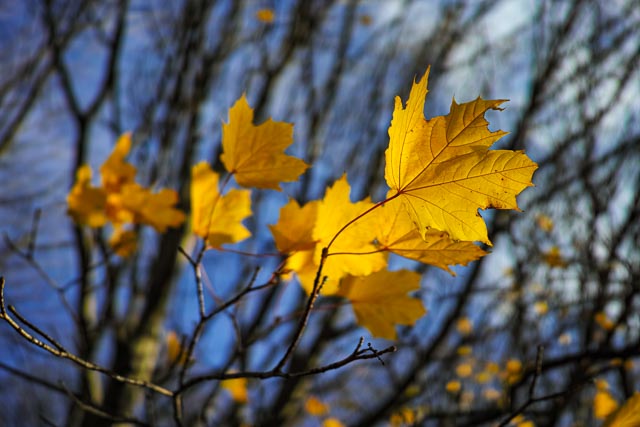
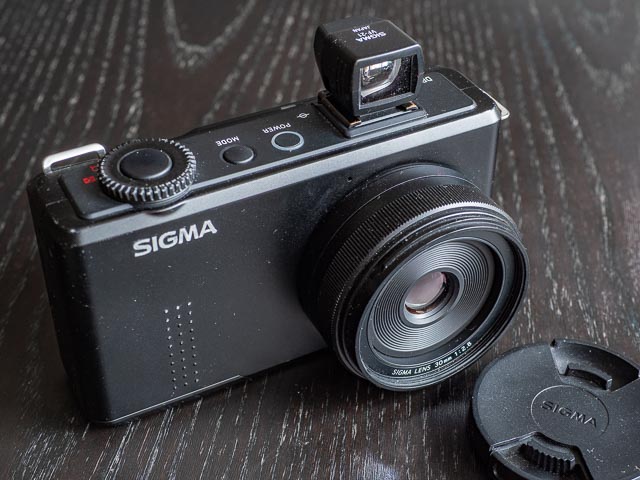
Shot on the Sigma DP2 Merrill: f/2.8 - 1/1000 - ISO 100. If you just want to see more images, jump straight to the Sigma DP2 Merrill results gallery.
Contents & specification summary
| Announced | February 2012 |
|---|---|
| Camera type | Large sensor compact |
| Camera size | 330 grams 122 x 67 x 59 mm (inc. battery) |
| Sensor type | Foveon X3 |
| Sensor size | APS-C (23.5 × 15.7 mm) |
| Resolution | 4704 × 3136 × 3 (14.8 megapixels, or 44.3 including all 3 layers) |
| Memory card | SD Card, SDHC Card, SDXC Card, Multi Media Card |
| Battery | BP-41 |
| Lens | 30mm f/2.8 (35mm equiv. 45mm) |
| Full specifications | |
Introduction
When you start talking about Sigma cameras, most people's reaction, even if they're experienced photographers, is "What…?! Sigma make cameras?!?!". Actually, Sigma have a long history of making cameras that goes back half a century, and they launched their first digital camera, the Sigma SD9 back in 2002. But even if you did know Sigma made cameras, if you a fan of cameras like the Fujifilm X100 series or the Ricoh GR series you might not realise that it was Sigma who invented the whole compact camera/big sensor category when they announced their DP1 model in 2006 (though it didn't become generally available until 2008). So the next time you pull out your Fujifilm X100VI or Ricoh GR IV, offer some silent thanks to Sigma for inventing the whole concept of putting a big DSLR sized sensor in a compact fixed lens cameras  .
.
The camera we're looking at here is the Sigma DP2 Merrill, announced in 2012 and from Sigma's 4th "Merrill" generation of compact camera. (If you're wondering where the word "Merrill" in the name of this camera comes from, it's a reference to Richard "Dick" Merrill, the person who invented the type of sensor used in this camera.) The DP2 Merrill really upped the ante by using the 14.8 megapixel Foveon X3 sensor from the high end SD1 Merrill DSLR. This sensor offered 3 times the pixel resolution of the previous generation of Sigma compact cameras. The DP2 Merrill features a beautifully made all-black metal body with a high quality 30mm (45mm full-frame equiv.) lens and a very simple, functional, no-frills design. It's very compact and slips into a large pocket or small bag very easily.
If at this point your saying to yourself "'Foveon' sensor…? What the blue-blazes is that?!" then may I direct you to my What is a Foveon sensor? page, but the short version is that a normal colour digital sensor uses something called a Bayer filter (named after the person who invented it) to make each pixel sensitive to a single primary colour of light. Interpolation is then used to supply the missing light values for the other primary light colours (and that's a lot of missing values and a lot of interpolation!).
A Foveon sensor, on the other hand, layers 3 sensors on top of each other and uses the fact that the different colours of light penetrate silicon to different depths to measure blue light in the top layer, green light in the middle layer and red light in the bottom layer. This means that each spatial pixel location is sensitive to all colours of light, eliminating the need to use colour interpolation. This means that, pixel-for-pixel, a Foveon sensor really is capable of resolving a lot more detail than a Bayer sensor with the same number of pixels.
Most camera reviews seem to agree that a Foveon sensor can resolve something like twice the detail of a Bayer sensor with the same number of pixels, and this corresponds with my experience with this camera (so the 14.8 megapixel Foveon sensor in the DP2 Merrill is competitive with something like a 30 megapixel Bayer sensor). Of course Sigma adds the pixels in all three layers of a Foveon sensor together so they refer to the sensor in this camera as a 15.4x3 or 46 megapixel sensor. (Sigma also include the total number of pixels on the sensor rather than the effective pixels, which is why I tend to refer to this sensor as a 14.8x3 or 44.3 megapixel sensor.) So maybe Sigma are over stating things somewhat, but back in 2012 when this camera was announced, with DSLRs and their Bayer sensors maxing out at around 24 megapixels, it was still capable of out-resolving pretty much anything on the market! Not bad for a camera you can tuck into a coat pocket!!
Now I'm going to just say up front that Foveon sensors come with a lot of problems eccentricities, but they also produce images with huge amount of detail and a distinct character that you simply can't get with any other camera. That character distinction may be subtle, but once you have developed a taste for it, it quickly becomes highly addictive. And the mere the fact that a cadre of loyal Foveon enthusiasts are fully prepared to work around all the multiple and manifest problems (I'll talk more about them in the Using a Sigma DP2 Merrill in 2025 section below) should tell you a lot!
Sigma DP model names
At this point it might be worth while looking at the entire ecosystem of Sigma DP models to help you understand where the DP2 Merrill fits in:
So 'DP' is the model name prefix used for all Sigma's large sensor compact models. Each generation of which come in a number of different models that are identical apart from the lens, and the number following 'DP' tells you what kind of lens you're dealing with:
| Number | Focal length (full frame equiv.) | Generations |
|---|---|---|
| 0 | Ultra-wide angle (approx. 21mm) | 5th (Quattro) only |
| 1 | Wide angle (approx. 28mm) | All |
| 2 | Standard (approx. 45mm) | All |
| 3 | Short telephoto/macro (approx. 75mm) | 4th (Merrill), 5th (Quattro) |
So the original models were just known as the DP1 and DP2. For all the subsequent generations the final letter or word of the model name tells you which generation of camera you're looking at:
| Generation | Indication | Models | Sensor (total megapixels as declared by Sigma) | Notes |
|---|---|---|---|---|
| Original | None | DP1 (2006, available 2008), DP2 (2008) | 3rd generation Foveon sensor with 4.7mp per layer (14mp total) | 1st models and the very 1st compact large sensor cameras |
| 2nd | S | DP1s (2009), DP2s (2010) | 3rd generation Foveon sensor with 4.7mp per layer (14mp total) | Minor update with same sensor and body. |
| 3rd | X | DP1x (2010), DP2x (2011) | 3rd generation Foveon sensor with 4.7mp per layer (14mp total) | Another minor update with same sensor and body. |
| 4th | Merrill | DP1 Merrill (2012), DP2 Merrill (2012), DP3 Merrill (2013) | 4th generation Foveon sensor with 15.4mp per layer (46mp total) | Body redesign with the mode dial replaced with a mode button, and a huge increase in resolution with the Merrill sensor. |
| 5th | Quattro | DP0 Quattro (2015), DP1 Quattro (2014), DP2 Quattro (2014), DP3 Quattro (2014) | 5th generation Foveon sensor with 19.7mp + 4.9mp + 4.9mp (29.5mp) | Completely different body and a very different sensor with slightly lower overall resolution. |
So that tells you that the Sigma DP2 Merrill is a 4th generation model with a 15.4x3mp sensor and a 45mm (full-frame equiv.) lens.
Sigma DP2 Merrill accessories
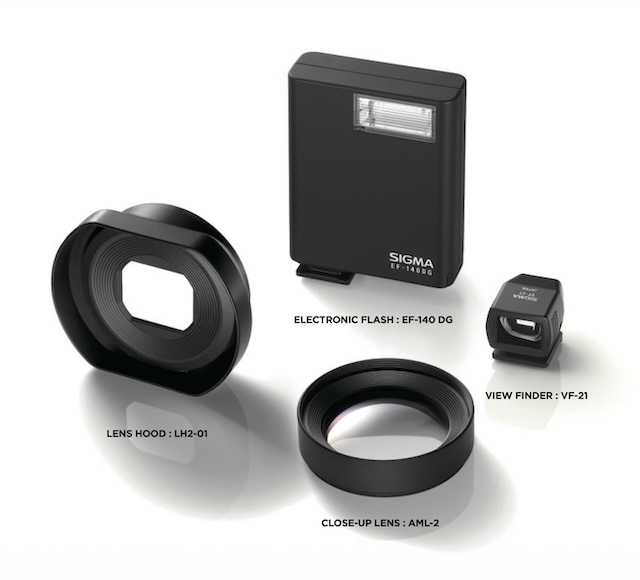 Sigma made a small number of useful accessories for the Sigma DP2 Merrill:
- EF-140 DG electronic flash
- The Sigma DP2 Merrill does not have a built in flash, so the EF-140 DG provides a pocket sized add-on option.
- LH2-01 lens hood
- A dedicated lens hood to protect the lens from light hitting it from oblique angles.
- VF-21 view finder
- None of Sigma's compact cameras provide an electronic eye-level viewfinder, so the very compact VF-21 provides an optical alternative for when bright sunlight washes out the rear monitor.
- AML-2 close-up lens
- The AML-2 close up lens screws into the DP2 Merrill's 49mm filter thread to reduce the closest focusing distance from 28cm to 19cm. It it made up of 2 elements.
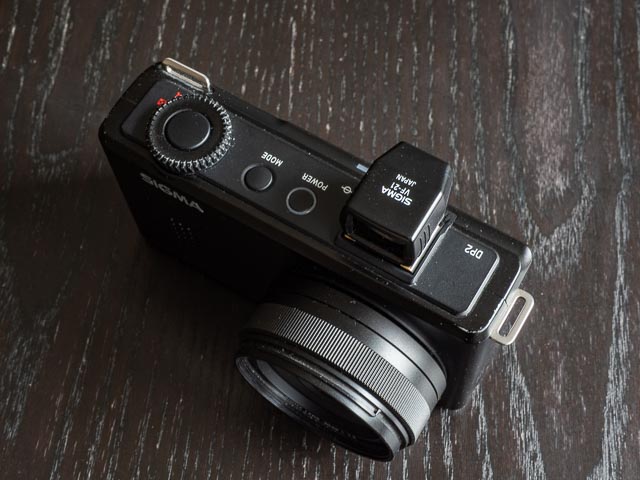
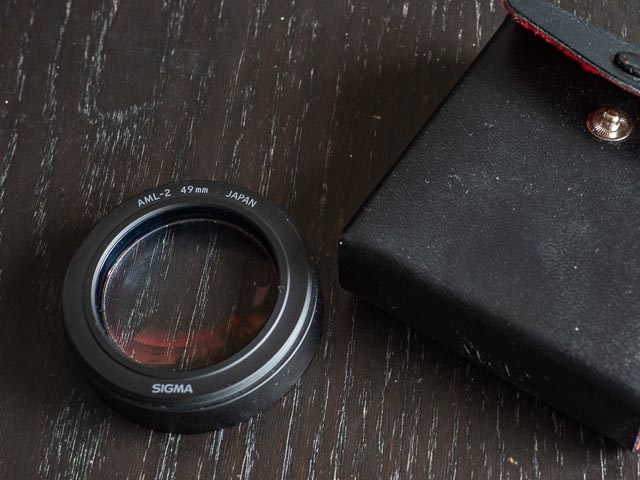
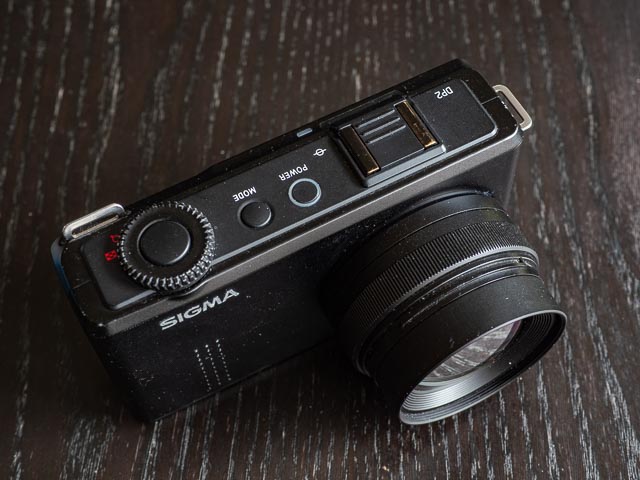 I have the VF-21 view finder and the AML-2 close-up lens. I have to admit I don't find this sort of add-on optical view finder accurate enough to be very useful: but I was still glad to get one with my DP2 Merrill as it does look kinda cool! My AML-2 close-up lens arrived a few days after I got my camera, so I haven't yet had a chance to use it in anger. (All the close-up shots in the results section were actually shot using a Hoya close-up attachment.) But I can confirm that is is very substantially made and the 2 element optical construction promised good image quality, so I am looking forward to trying it out.
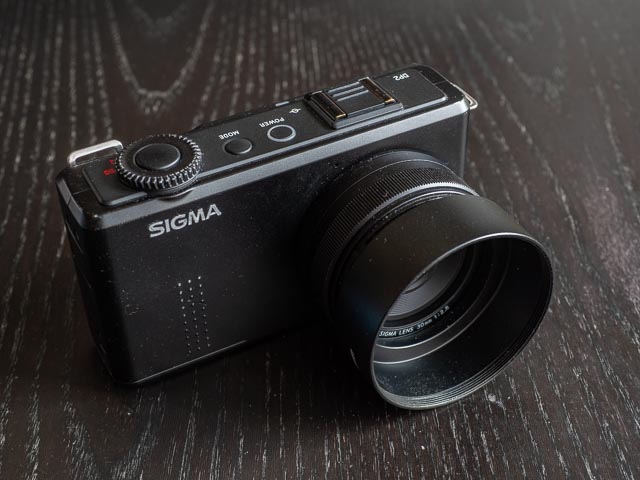 All these accessories tend to be quite rare and difficult to find, and I haven't been able to source the original OEM Sigma lens hood, but because the DP2 Merrill takes standard 49mm filters, I was able to find a good alternative on eBay. I'm not sure the the DP2 Merrill's lens really needs a lens hood, but this unbranded metal lens hood does a good job of protecting the lens from minor bumps.
Buying a Sigma DP2 Merrill in 2025
 There is no doubt that Sigma Foveon cameras in general are of interest to a fairly small subset of photographers. But they're also rare beasts. And because they provide something unique that cannot be reproduced by any other type of camera, there is a lot of competition for the few that come onto the market, and that keeps prices buoyant even 10 years after Sigma effectively gave up on the Foveon sensor and switched to making cameras with boring old Bayer sensors. So unless you're very lucky, you're gonna have to dig fairly deep to add one to your gear cupboard. But having said all that, the DP cameras of the Merrill and earlier generations are one of the cheapest ways to get a Foveon camera, and the excellent image quality of the Merrill cameras in particular make them one of the best options if you're keen to try out a Foveon camera.
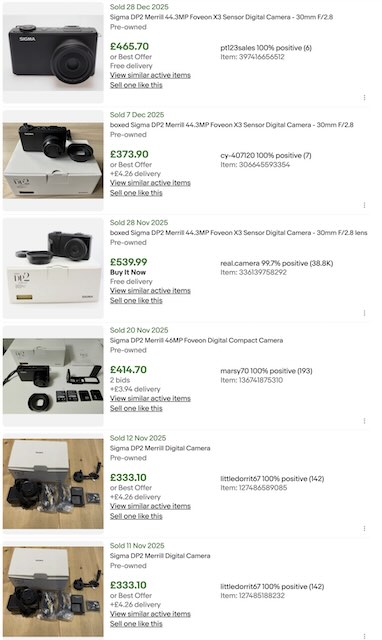
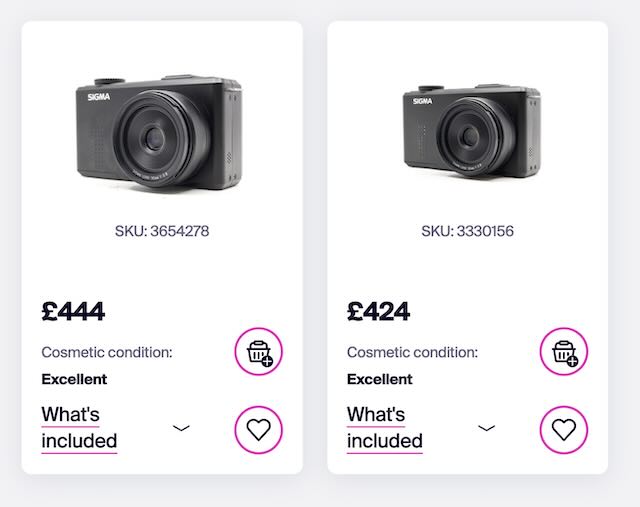 Here you can see a search I carried out for Sigma DP2 Merrill sold prices on eBay on 30 January 2026. As you can see expect to pay anything from £300-500 for one in good useable condition. But personally I wouldn't pay more than £400 for one on eBay unless you can find one in exceptional condition and/or with some desirable accessories that you really want. And don't forget used photographic gear retailers like mbp.com. Here you can see MPB's Sigma DP2 Merrill stock, again as of 30 January 2026. Ones in excellent condition start at £424, and that includes a 12 month warranty, so why pay more on eBay?
I got mine for what I think was a pretty good price: £360 in excellent condition, including box, all the original accessories, plus 2 spare batteries and the desirable optical viewfinder. I also got the rather good Sigma AML2 close-up lens designed specifically for the DP2 Merrill. So my advice is to be realistic and don't expect a bargain, but also set a budget, stick to it, and don't let bidding-madness set in and lead you to pay a silly price, and if the seller is accepting offers always submit one and see what the seller says. And, particularly if you don't want to get involved with bidding/haggling on eBay, mpb.com often have a good selection of Sigma Foveon equipment. You won't find bargains on mpb.com, but I think the prices are never-the-less reasonable, and that warranty it reassuring to have.
Sigma DP2 Merrill body tour
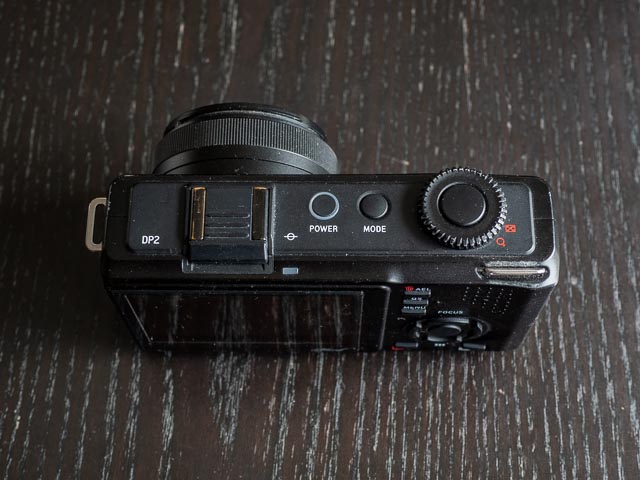 Sigma has become well known for a completely frill-free and minimal approach to camera design, and the DP2 Merrill is a perfect embodiment of that approach, both functionally and aesthetically. There's everything you need, and very little very little you don't. The body is a simple black box constructed from high quality, cool feeling, metal. It's design language is almost threateningly plain and simple in an vaguely darth-vader-ish sort of way. But if you like a form-follows-function approach it's also strangely beautiful. So a body tour shouldn't take to long! The front has no controls except for a nicely weighted fly-by-wire focus ring around the lens. Moving to the top plate, all you can see is the shutter button surrounded by the main command dial, then a mode button used with the command dial to change mode, a power button, and finally the flash hot shoe (also used for the optical viewfinder).
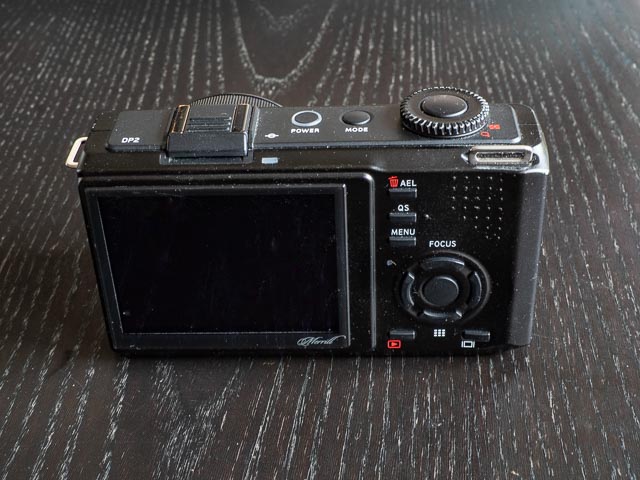 The back of the camera has a fixed but high quality 920k pixel monitor that provides your main way to frame and compose your photographs. To the right we have an automatic exposure lock button and below that a button to bring up the very useful quick settings screen. There are two quick settings pages: the 1st allows you to set ISO, metering mode, drive mode and flash mode using the main command dial. Just press the QS button again for the second quick settings page to set white balance, image quality, colour mode and image type. Next is a button to access the menu. Below that is a set of four-way controller buttons with a center button. And finally we have a button for entering image playback mode and a button to cycle though various display modes. And that's basically your lot. I have to say that it all makes for a very simple, fuss-free, and intuitive user interface.
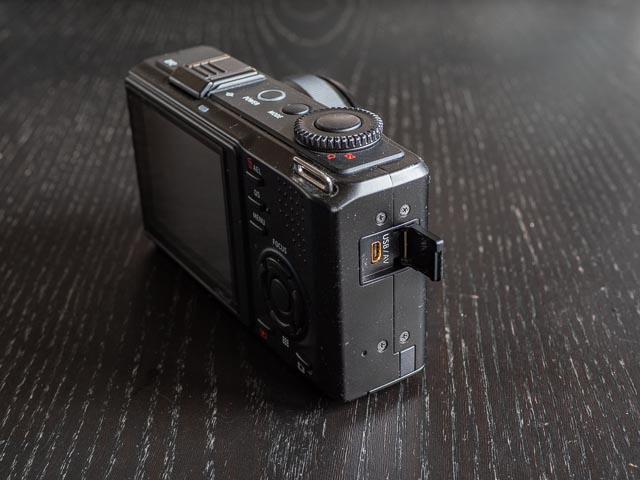
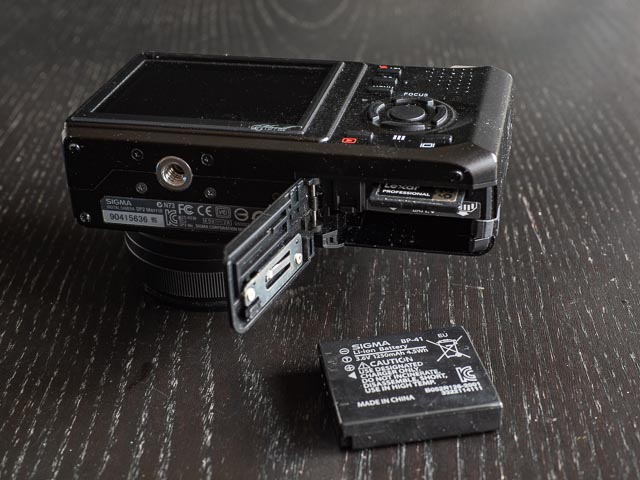 All that's left are various ports and doors. On the right hand side (as you're using the camera) there is a USB/AV port behind a small rubber door. And on the bottom of the camera we have the tripod bush perfectly aligned with the centre of the lens, and a single compartment for the battery and the memory card.
Using a Sigma DP2 Merrill in 2025
As soon as you pick up the DP2 Merrill it immediately impresses with its superb build quality, and simple but refined design. A cool metal black rectangular cuboid with just the controls you need and nothing more. Of course, those who require a large fist-filling grip on a camera will be less happy! But on a camera as small as this, it really isn't necessary, at least IMHO.
I always have the ISO set to automatic, with a minimum setting of 100 and a maximum of 200. (But the camera is pretty good at keeping the ISO setting low, so you could probably set the maximum value to 400 and see it used only very rarely.) I then set the camera to programme mode and use the main command dial to adjust aperture/shutter speed if the camera's selection doesn't suit, and the left/right buttons on the four-way cluster to adjust exposure compensation if necessary. Most of the time I just have the centre focus point selected but on the rare occasions when half-pressing the shutter button to lock focus and recompose doesn't suit, the down button on the four-way cluster allows one of 9 focus points to be selected, and when in focus point selection mode the display button allows you to easily switch to a free focus point selection mode that allows a focus point to be set anywhere within the center 60% or so of the monitor. On the very rare occasions I need to manually focus the up button of the four way cluster enters a manual focusing mode.
Because the Merrill Foveon sensor has somewhat limited dynamic range, getting the exposure right every time is very important. Fortunately the live histogram makes this painless to so, so I have the rear monitor set up to always display the live. I then carefully to check it on every single shot and if I see even a hint of over exposure on the histogram I use the left/right buttons on the four-way cluster to dial back the exposure until the histogram is looking good. I think this makes Foveon sensors are particularly suited to cameras with live-view as the primary means of framing and composing your images. In Foveon DSLR cameras (none of which have live-view) I can imagine exposure being quite tricky.
I find the whole system to be quick, simple, fuss-free and intuitive. The quick settings button provides easy access to a number of setting like metering mode, drive mode, ISO, white balance, image size and quality, and colour modes (my favourite is the landscape colour mode), but I rarely need it.
If you've already done any research at all into the Merrill generation of Sigma DP cameras at all, you'll not doubt have seen many complaints about this cameras, so let's address those:
Battery life
For me this is really the only really big usability issue. I have found that even with new batteries, battery life is pathetically, frustratingly, limited. Sigma themselves knew full well that the battery life wasn't good enough and so included 2 batteries with the camera. And today, with recently purchased 3rd party batteries consider yourself lucky if you get 30-40 shots per battery. The batteries themselves are tiny, so putting a stack of them in my camera bag really isn't a problem. The real problem is the logistical nightmare of charging so many batteries: you're definitely going to want to get yourself at least one, or maybe two, double battery chargers. And even so, heading out for a spontaneous and unplanned walk, camera in hand, really isn't going to happen. You have to plan ahead to make sure you have enough charged batteries.
Slow performance
There is no doubt that in terms of shot-to-shot speeds and focusing speeds, the DP2 Merrill is no speedy-gonzales! But for the kinds of photography I want to use this camera for, I have always found the speed of this camera to be perfectly satisfactory, so for me the operational speed of this camera has never been much of a problem. And do you really plan on using this camera for bird-in-flight shots…? Nah… thought not 
Poor low light performance
Yeah, the high ISO performance on the camera is not good. But in all honesty this has also never really been a big issue for me. I don't know… maybe this is because I still remember what things were like with film. Back then you just stuck a 100 ISO film in you camera and just stuck with it… you just looked for shots you could successfully capture at ISO 100 because you had no choice. And you know what? People still created beautiful photos. Perhaps placing constraints like this on your photography even helped. You train your photographic eye to work within the limitations of your equipment and this simplifies decision making, cuts out the visual noise, and forces you to refine your artistic vision. Today's amazing digital cameras train you to do the oposite. And while this is incredibly enjoyable and liberating at first, I'm not sure it really helps you train that photographic eye. If your camera can shoot anything, you tend to be distracted by everything!
So this is another tight contraint that simply hasn't been a problem for me for the kinds of photograph I want to create with this camera. This is to the extent that so far I haven't even tried to push this camera above ISO 200. I will do so at some point, just to see what happens, and when I do I'll update this page with some high ISO samples, but so far I just haven't felt the need.
If you've read online that this camera will ruin your entire life if you're daft enough to set the camera to anything other than 100 ISO, that is only true to a certain extent. As I said above I always have the camera set to Auto ISO with maximum ISO of 200, and results at 200ISO haven't caused me to recoil in horror! On the rare occasion I need higher ISOs, I have other cameras that will provide that. It's all about choosing the appropriate tool for the photographs I want to take on any particular occasion.
Foveon eccentricities
You often seen people complaining online about a tendency for a slight greenish tinge to Foveon images, but, at least with the DP2 Merrill, I've really enjoyed the colours I get with it, particularly with the colour mode set to Landscape.
But another Foveon problem that has, on occasion, left me screaming with frustration, is what happens if you put the sun within the frame. This is a problem for me because I really love doing this! I love the atmosphere it can give a photograph. Back in the days of film, we were always told to always keep the sun behind you, in other words, always keep the sun as far out of your frame as possible. And in the days of analogue, when you wanted to avoid wasting very expensive film, this is what almost everyone did, including myself. But one of the joys of digital photography is that it frees you from worrying about the cost of every single press of the shutter button, so you can be much more experimental. And 'contre-jour' images, with the sun very definitely in the frame, is a wonderful way to add some atmosphere to your images. But do this with the DP2 Merrill and you'll end up with images swimming with horrid bright green flares!
Sigma Photo Pro
If you're used to shooting RAW and you want to continue doing so with the DP2 Merrill, you're gonna have to contend with Sigma's own Raw processing software, Sigma Photo Pro  . This is the only RAW processing software that will do the job. Now Sigma Photo Pro isn't quite as awful as everyone says. I mean it's slow and makes you feel like you've just stepped back in time to about 2005, but ultimately it does a good job and has some great features. But the real problem is that if you're used to the simple, efficient and streamlined workflow provided by modern non-destructive RAW development software like Adobe Lightroom that let's do 90% of your post-processing, and all your cataloging, in one application, Sigma Photo Pro introduces a set of extremely tiresome and time consuming additional steps to your work flow. And that would be the case no matter how good or bad Sigma Photo Pro actually is.
What's more, if you believe everything you read on the internet the JPEGs you'll get out of the DP2 Merrill are absolutely terrible. But all the images you can see below are DP2 Merrill JPEGS lightly processed in Adobe Lightroom, and as far as I'm concerned, they're lovely!
So here's me basic modus operandi for dealing with my DP2 Merrill files:
- I put the camera in RAW+JPEG mode.
- I set the colour mode to 'Landscape'.
- I ensure Adobe lightroom is set-up to treat adjacent JPEGS and RAWs separately.
- I then import then files from the memory card as normal, which in my case means Lightroom automatically renames the files with the date and an index number (e.g. 20260101-0001) and organises them into date folders.
- I then copy these directies to an archive folder that maintains the folder structure used in my Lightroom library, delete the RAWs from my Lightroom catalogue and delete the JPEGs from my archive location.
- I then go about cataloguing and post-processing the JPEGs in Lightroom exactly as I would normally do, safe in the knowledge that if necessary I can easily find the corresponding RAW file and run it through Sigma Photo Pro. (But so far I haven't felt the need to do this even once!).
I originally came up with this method as a stop-gap until I have got more of a hang of Sigma Photo Pro, but to be honest I've just never felt the need to change it! The only change I might make, given that I've been very happy with the JPEGS, it to forget about recording RAW files at all! (Not least because they weigh in at 50-60mb each!)
Sigma DP2 Merrill results
All the images below are Sigma JPEGS with minimal post-processing to taste in Adobe Lightroom. The image quality problem that caused me most grief are the horrid green flares you get if you place the sun within the frame. But apart from that I've been very happy with the JPEGs produced by the DP2 Merrill, to the extent that I really don't worry about too much about not being able to process the RAWs in Lightroom. As mentioned above there isn't a lot of dynamic range, so you need to pay close attention to the live histogram. But get the exposure right and your images will look absolutely superb.
There is definitely a distinct Foveon 'look' to the images produced by the DP2 Merrill that is quite unique to this sensor, but it's very difficult to put into words! The colours are gorgeous, and shots of autumn leaves really shine with this camera, but gorgeous colours are hardly unique to Foveon sensors. But there is (for want of better terms) a depth to the colours, combined with a certain kind of micro-contrast that can really make images pop. I think this is what people are paying for when they plonk down top dollar for a Foveon camera.
Of course what these web resolution images (just 640px on the longest side, and 1600px on the longest side for the large versions you can see by clicking on the image below) can't show you is the amazing detail in the DP2 Merrill files. Looking at these images at 100% or more in Lightroom really is a different experience compared to those from a Bayer sensor camera. You really do feel like you can just zoom and zoom!
All the images below where shot with ISO set to Auto and a maximum ISO of 200, and I found this worked very nicely. At some point I will shoot some images at 400 and 800 ISO just to see what they're like, at which point I'll update this page with some examples. But low ISOs are where the DP2 Merrill is happiest.
One final thing worth mentioning is the superb lens on the DP2 Merrill. It is perfect matched to the sensor and is another factor that really makes the images from the DP2 Merrill sing. Plus I am often surprised at the beautiful bokeh this tiny wee lens is capable of producing.
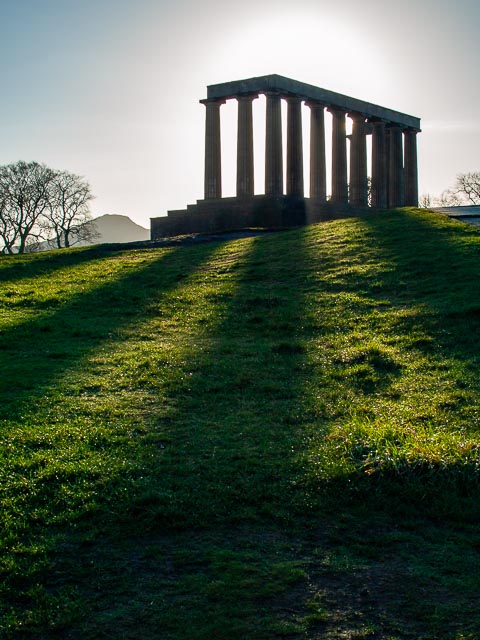
Olympus E-410 - Olympus Zuiko Digital 25mm f/2.8 - f/5.6 - 1/500 - ISO100
This image was shot using an Olympus E-410 camera. It's a kind of shot I really love taking to get interesting shadows and lovely atmospheric lighting. But try this sort of thing on the Sigma DP2 Merrill…
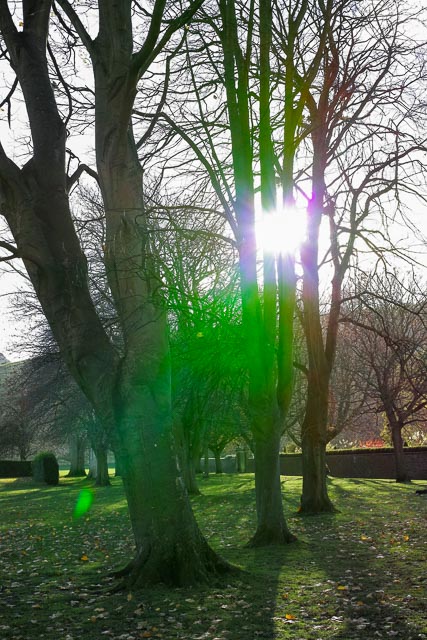
f/5.6 - 1/500 - ISO100
…and this is what you'll get . Putting the sun partially behind a tree, just like I put the sun partially behind the columns in the previous shot, doesn't save the situation! You still get hideous bright green splotches ruining the shot.

f/5.6 - 1/500 - ISO100
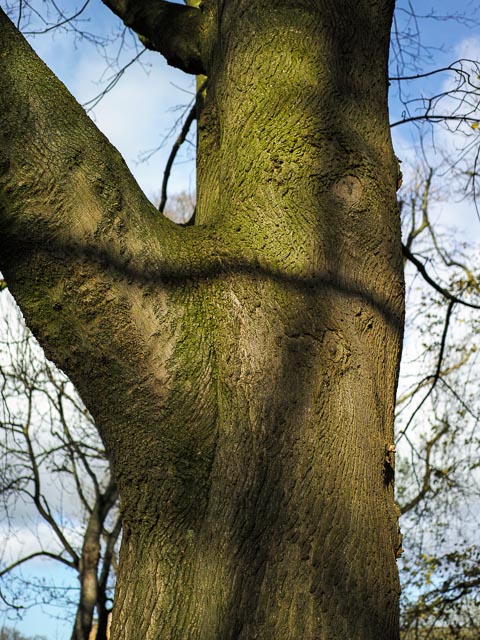
f/2.8 - 1/800 - ISO100
At first I thought this was the green colour tinge that is often complained about online with Sigma Foveon cameras. But having returned to this tree with other cameras, I've realised that the tree has algae on it's bark giving the bark a greenish tinge.
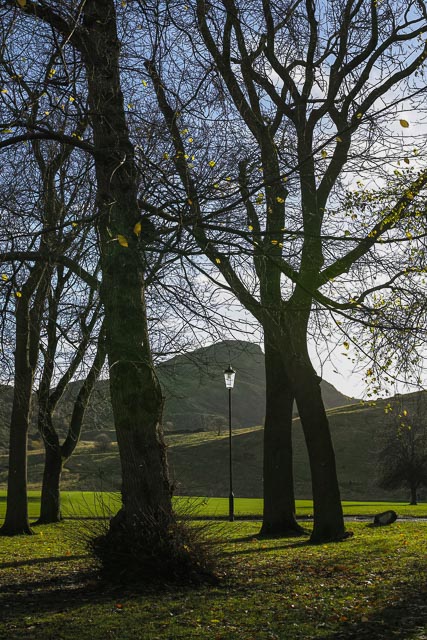
f/5.6 - 1/320 - ISO100
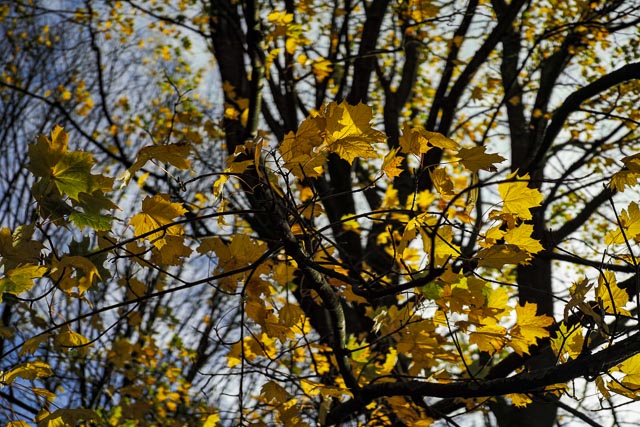
f/2.8 - 1/250 - ISO100
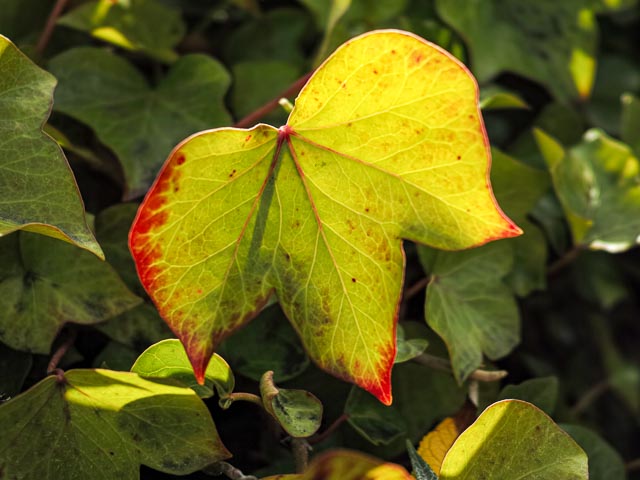
f/2.8 - 1/800 - ISO100
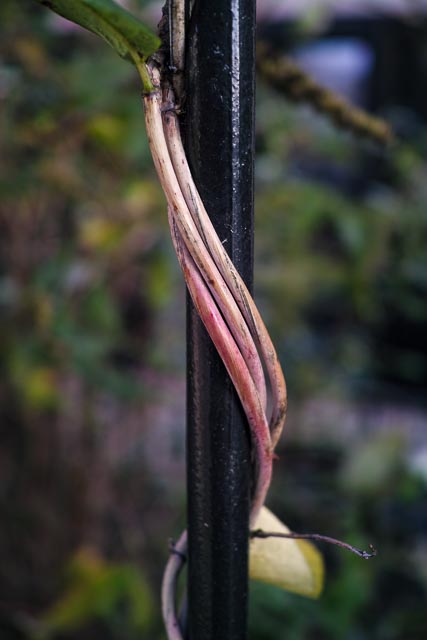
f/2.8 - 1/100 - ISO100
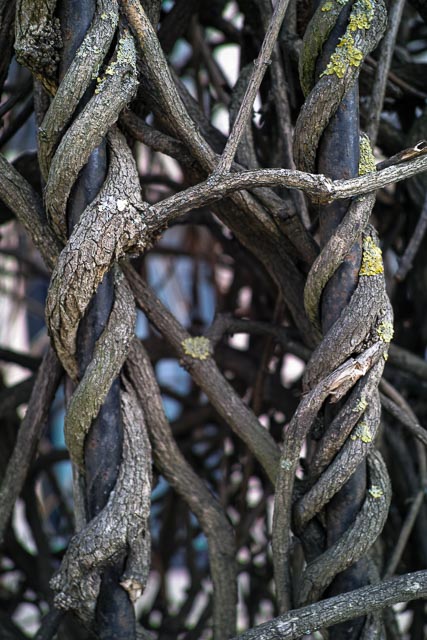
f/2.8 - 1/60 - ISO125
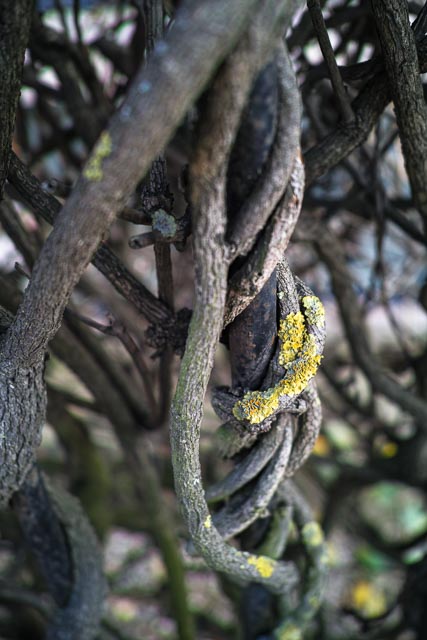
f/2.8 - 1/50 - ISO100
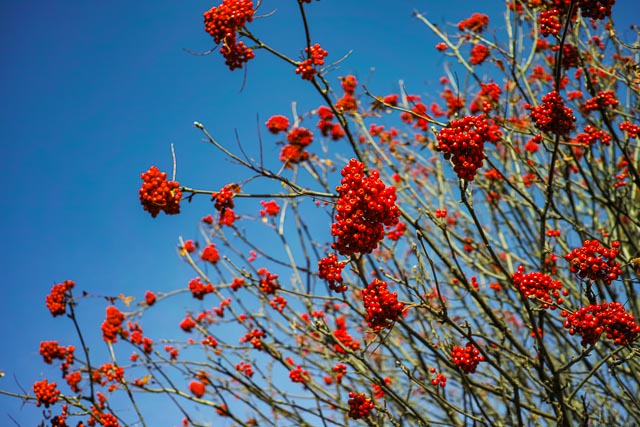
f/2.8 - 1/800 - ISO100
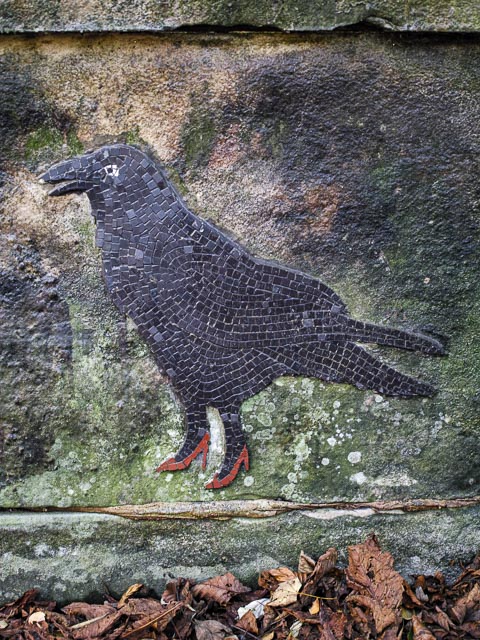
f/2.8 - 1/25 - ISO200

f/2.8 - 1/1000 - ISO100
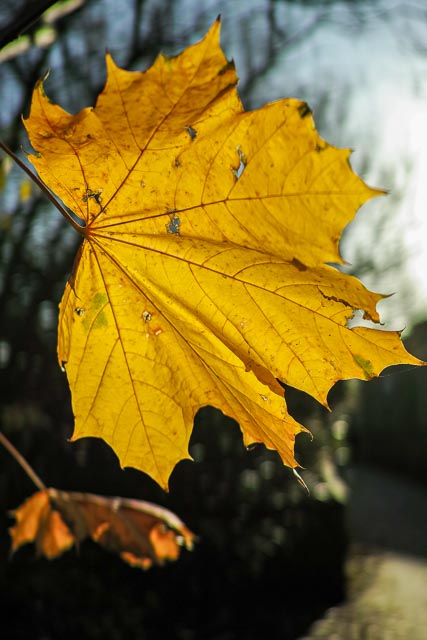
f/2.8 - 1/1250 - ISO100
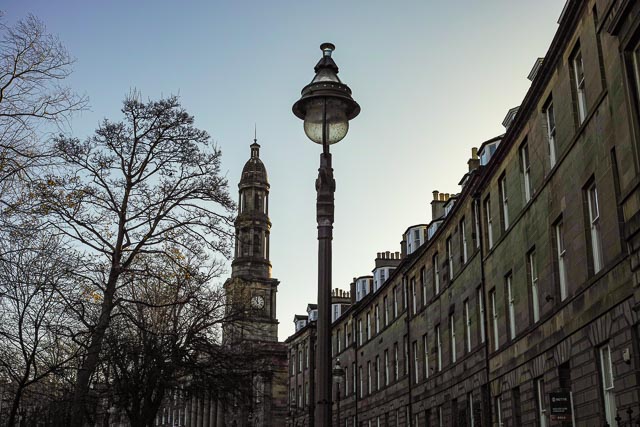
f/2.8 - 1/1000 - ISO100
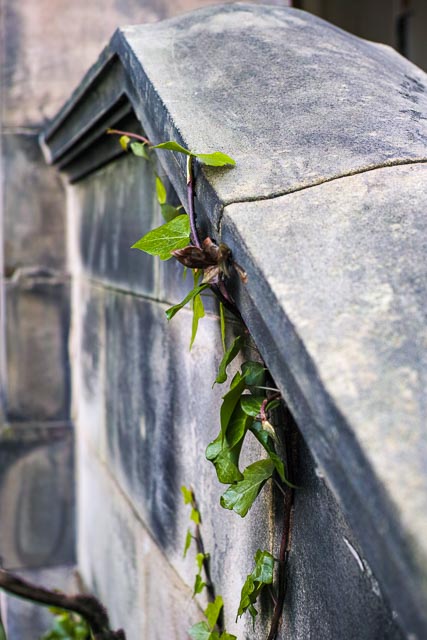
f/3.2 - 1/50 - ISO100

f/2.8 - 1/60 - ISO200
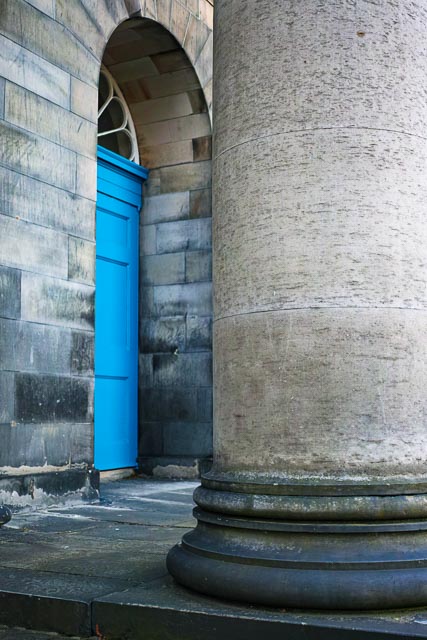
f/2.8 - 1/60 - ISO100
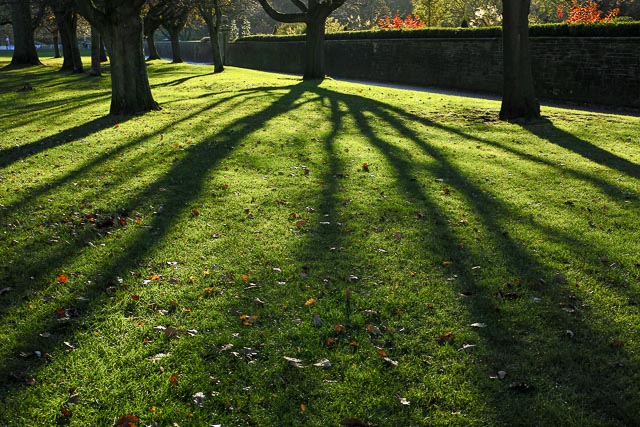
f/5.0 - 1/60 - ISO100

f/4.5 - 1/125 - ISO100

f/4.5 - 1/125 - ISO100
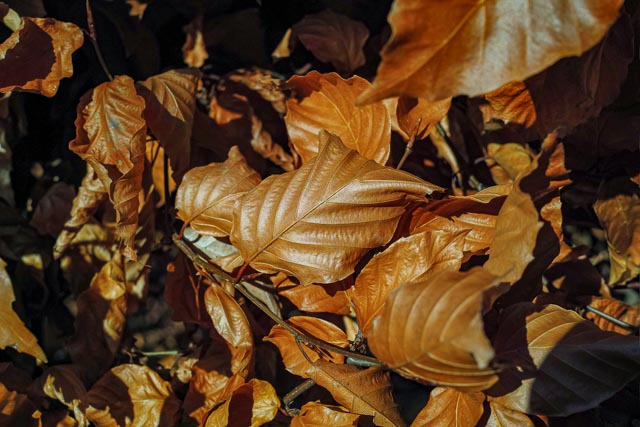
f/7.1 - 1/320 - ISO100
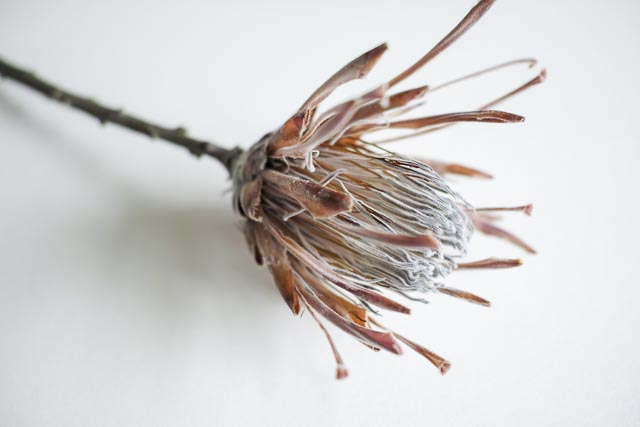
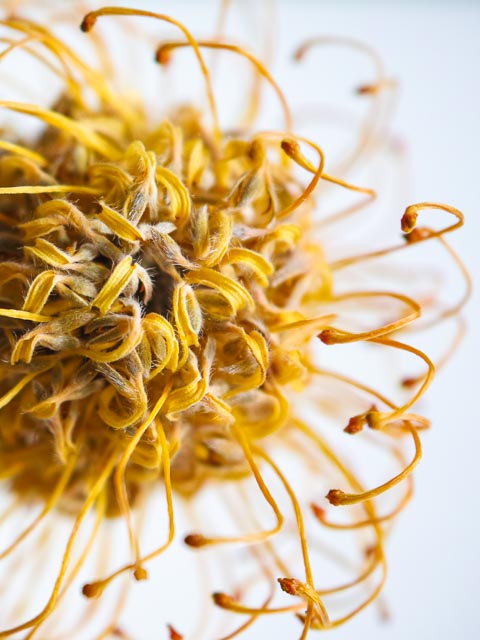
My Sigma AML-2 close-up attachement didn't arrive until a couple of weeks after my camera, and as I had some flowers waiting to be photographed I used some standard 49mm Hoya close-up attachements instead. I'll update this page as soon as I have something to photograph with the AML-2!
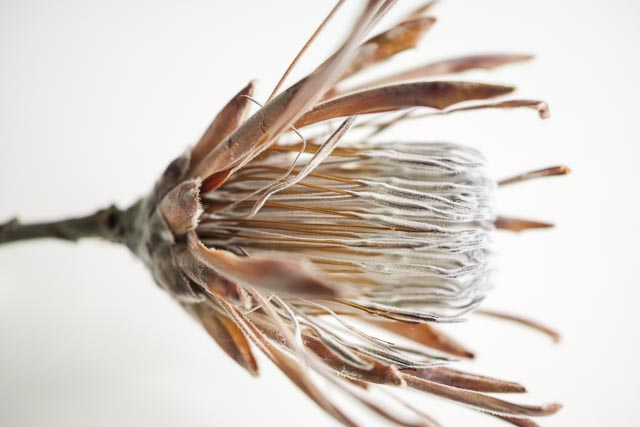
Hoya close-up supplementary lens - f/2.8 - 1/6 - ISO100
Hoya close-up supplementary lens - f/2.8 - 1/6 - ISO100
Hoya close-up supplementary lens - f/2.8 - 1/6 - ISO100

Hoya close-up supplementary lens - f/2.8 - 1/6 - ISO100
Conclusion
The combination of a beautiful build quality, tiny size, a well thought-out user interface, a seriously good lens and insanely detailed images make a few awful problems (in particular battery life and horrible green flares if you put the sun within the frame) well worth living with if you're looking for a pocket sized camera for quiet, slow, carefully considered photography.
Links
- Sigma DP2 Merrill User's Manual (PDF)
- Sigma DP2 Merrill contemporary review on Steve huff Reviews
- Sigma DP2 Merrill contemporary review on Photography Blog
- Sigma DP2 Merrill contemporary review on Amateur Photographer
- Sigma DP2 Merrill contemporary review on ePHOTOzine
- Sigma DP2 Merrill retro review on 50mmf2.com
- Sigma DP2 Merrill retro review on rossjukesphoto.co.uk