DxO One (2016 edition)

Springtime snowdrops shot on the DxO One: f/1.8 - 1/2500 - ISO 400. If you just want to see more images, jump straight to the DxO One results gallery.
Introduction
| Announced | June 2015 |
|---|---|
| Camera type | Compact camera for use with a smartphone |
| Camera size | 108 grams 67 x 48 x 25 mm (inc. battery) |
| Sensor type | BSI-CMOS |
| Sensor size | Type 1 (13.2 x 8.8 mm) |
| Resolution | 5472 x 3648 (20 megapixels) |
| Memory card | microSD/microSDHC/microSDXC |
| Battery | Built-in, not user replaceable |
| Lens | 11.9mm f/1.8 (full-frame equiv. 32mm) |
| Full specifications | |
In the mid-2010s there was an interesting little trend in digital cameras for camera/lens modules designed to work with smartphones, using their screen to provide live-view and controls. The desire was understandable: most people now had a device with a large high quality screen in their pocket pretty much 100% of the time, but smartphone cameras hadn't (yet!) quite reached the stage when they could truly compete with a conventional stand-alone digicams. So why not make the camera as small as possible by dispensing with the screen altogether, and leverage the much larger screen we were all carrying around in our pockets instead?
Most of these camera/lens modules connected wirelessly with the smartphone via bluetooth or WiFi and came with a clip of some kind to attach them to the smartphone. Examples included the Sony QX series of cameras (which included the QX1 with an APS-C sized sensor and interchangeable lenses, the QX100 with a Type 1 sensor and the QX10 with a small digicam type sensor), and the Olympus Air A01 which use M4/3 interchangeable lenses (as far as I am aware Olympus gave up on the concept after just one model).
But one unique example used a physical connection to the camera, and that is the camera featured here: the DxO One. "DxO…? Don't they make RAW processing software?" I hear you say. Yes, they do, but in 2015 they also made a somewhat abortive attempt to break into the camera hardware market with this fascinating little camera. The DxO One features a tiny body weighting slightly over 100 grams into which they squeezed a Type 1 sensor (the exact same sensor you'll find in the Sony RX100 MkIII) and a 11.9mm (32mm full-frame equiv.) f/1.8 lens.
In 2016 DxO launched the 2016 edition of the DxO One with some interesting new features, including the ability to use you smartphone as a remote control via WiFi and the even more interesting ability to utilise the OLED status display one the camera as a sort of very basic dot matrix viewfinder, which, it turns out, is lots of fun and way more practical than it sounds! (More on that in the Using a DxO One in 2025 section below.) Pretty much all the 2016 edition features were available to the 2015 model with a firmware update.
DxO's unique approach of using a physical connection between camera module and smartphone has both pros and cons. The main pro is that a physical connection will always be much more reliable, stable and easier to set up than a wireless connection. But back in 2015 the two main smartphone camps (iPhone and Android) used to two totally incompatible sockets (Lightning and USB respectively) and DxO's decision to using the lightning plug meant this is an iPhone only product. Interest in these camera modules was just never strong enough to allow DxO to produce a USB version of the DxO One.
Even back in 2015 smartphone cameras were rapidly advancing into something many people would genuinely consider for much of their day-to-day photography, so the very concept of by-passing your smartphone's own camera with one of these modules was inevitably short-lived. Even Sony, who made by far the largest range of camera modules, were only able to maintain their interest for a couple of years. I remember the excitement that the DxO One generated when it launched in 2015. But for me there were two main things that made it a complete non-starter. The first was price; the launch price of the DxO One was around £600, while the Sony RX100 III with which it shared a sensor sold for around £700. So for very little extra you could get a vastly more powerful camera. The second thing was that in order to achieve such a small body, the DxO One has a built-in and non user-replaceable battery. But no battery lasts forever, so this meant it has an inevitably limited life span that makes the 600 quid price tag a bitter pill to swallow.
Perhaps this explains why the DxO One failed so spectacularly to connect with the buying public. But that lack of demand means that the DxO one is now in much less demand that any other similar camera. This means you can buy one today for a price that is incredible for a camera capable of taking such high quality photos. Which bring us to…
Buying a DxO One in 2026
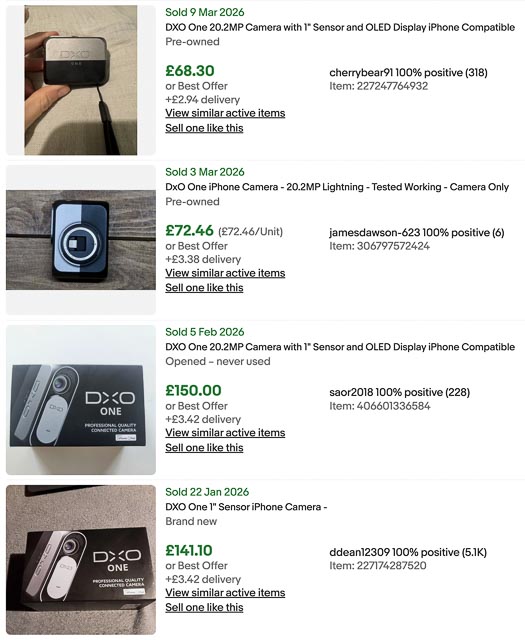 As you can see from this screenshot of an eBay search I carried out on 3 March 2026 for sold listings, you should expect to pay £65-75 for a used DxO One in good working condition, and maybe around £150 for one in new-in-box condition. I actually bought mine from CeX in excellent condition (but without any accessories) for £62 plus £3 p&P. (Hint: on CeX set up an alert if they don't currently have one in stock. That's how I got mine, but I had to wait 2 or 3 months for one to pop up.)
Given that a Sony RX100 III will set you back around £350-400 for one in good condition, this completely changes the economics of the DxO One vs. Sony RX100 III decision. It goes from an obvious win for the far more powerful and sophisticated RX100 in to "well, for 60 quid let's just get the DxO One as a fun experiment!" territory, even if you plan on getting another Type 1 sensor camera anyway. This is especially so for those of us who… well… just like collecting interesting and unusual cameras!
DxO One body tour
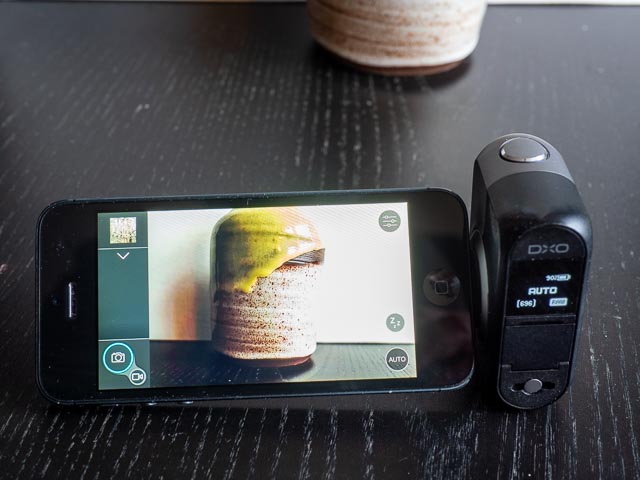
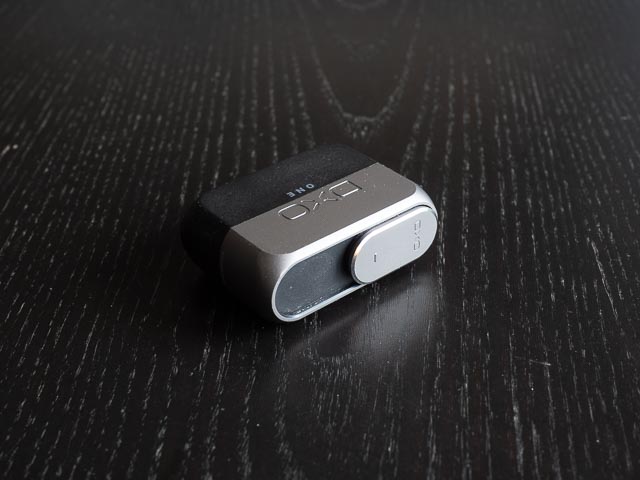
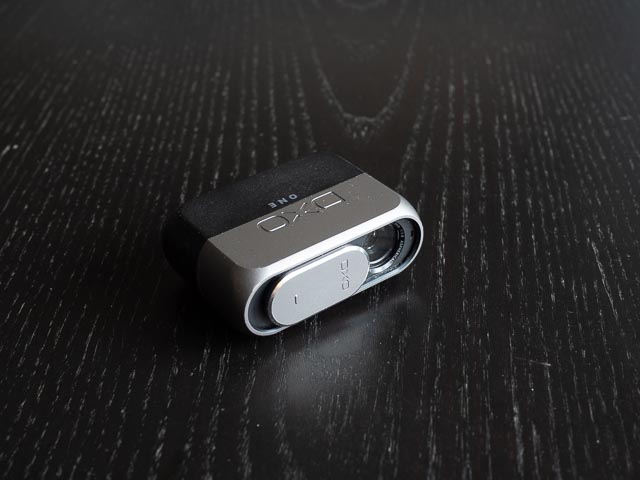 Because the DxO One is designed to be use primarily with a smartphone, with the smartphone screen providing most of the controls, the camera itself is a pretty simple little beast. The front of the camera just has the lens with a sliding cover. Just slide the cover down to switch on the camera.
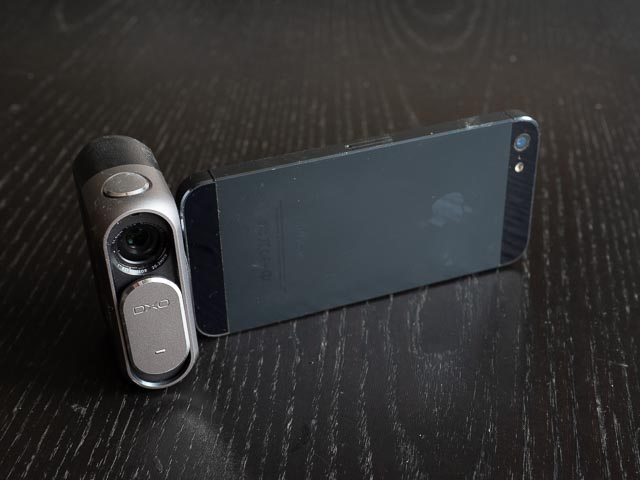 The shutter button is on the top of the camera, as you can see in this shots of the DxO One attached to my old iPhone 5.
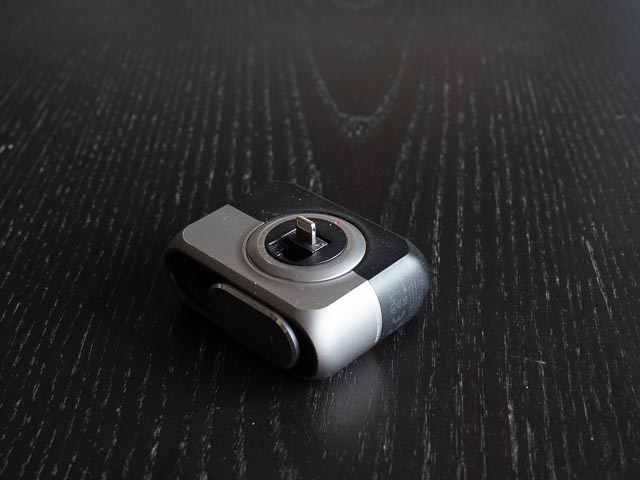 The side of the camera features the Lightning plug which provides the physical connection to your iPhone. I've seen hacks online to make the DxO One work with Android phones via a Lightning to USB adapter, but to be honest I would just treat the DxO One as an iPhone only device. The Lightning plug rotates so you can tilt your iPhone to facilitate high or low level shooting, or even have the lens and screen on the same side for selfies. If, like me, you don't get an instruction manual with your camera, you will probably be left scratching your head as to how to actually deploy the Lightning plug! It's simple once you know how though… Just slide the lens cover a little further down than is necessary to switch it on and the plug will spring out.
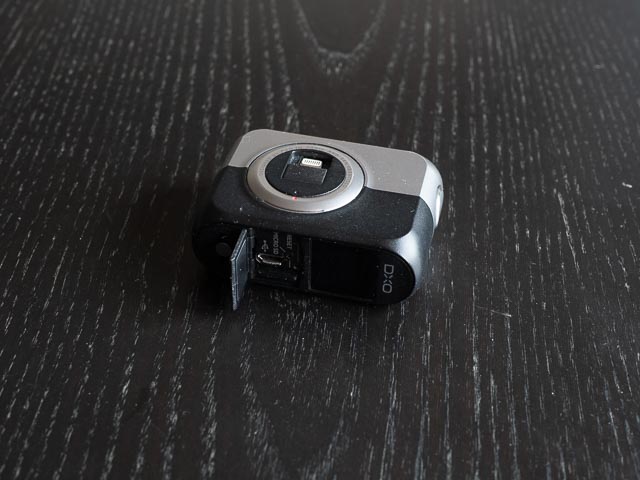 The other side of the camera is completely devoid of controls, so moving onto the back of the camera there is a touch sensitive OLED dot matrix status display and a small door to hide the MicroSd card slot, a USB port for downloading your photos to a computer and a reset button. And right at the bottom of the back of the camera there is a connection point for the wrist strap that was originally supplied with the camera (but I didn't get one of those with my camera).
In case you're wondering, there's no battery compartment as the battery is entirely integrated and non user-replaceable. Boo! Hiss! This is the one thing about the DxO One I really don't like! It means that at some point my DxO One is, inevitably, going to die a long lingering death as the battery looses it ability to hold charge. The fact I spent 60 rather than 600 quid makes me a little more relaxed about this, but I still don't like it!
Using a DxO One in 2026
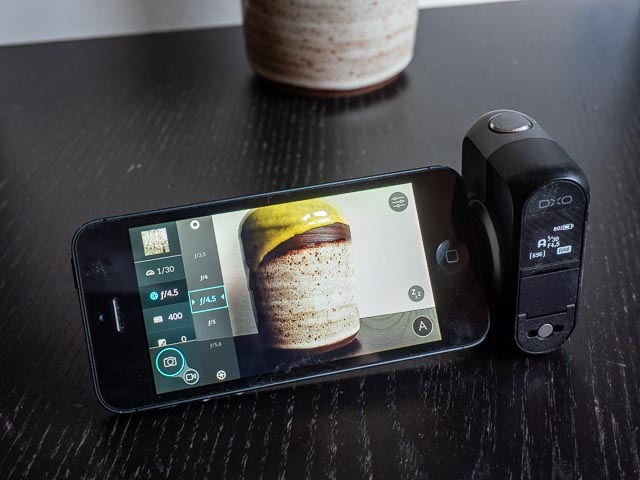 It's evident as soon as you pick it up that the DxO One is a very nicely built with a cool metalic body. One of the most common complaints I've read about the DxO One online is the fact that the connection via theLightning plug isn't stable enough to use single-handed. This perplexes me somewhat, and it would never have occurred to me to even try such a barmy thing! The DxO One/iPhone combination it obviously intended to be used two handed 100% of the time. Having said that I have found the Lightning connection to be pretty stable so long as you treat it sensibly. Generally I found the DxO One/iPhone combination to offer a very pleasent, if perhaps slightly slow and ungainly, shooting experience. And the DxO One iPhone app does a good job of giving access to plenty of manual controls. But the DxO One is also a surprisingly capable camera in stand-alone mode. In fact this is where things get really interesting and fun…
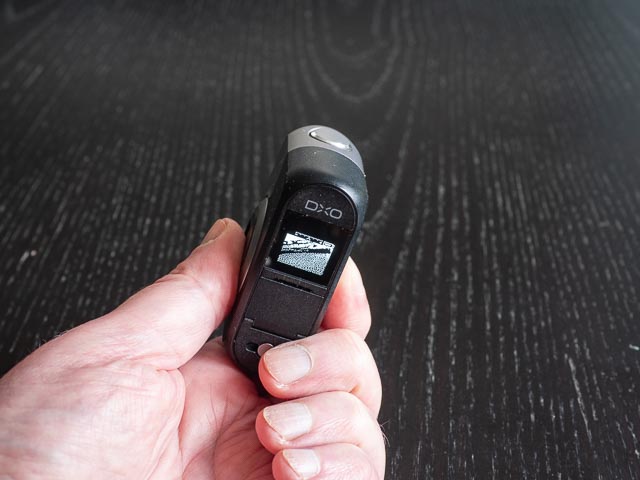 The DxO One always had the ability to shoot without being attached to an iPhone, but with the original 2015 model you were shooting blind. But the 2016 model (or the 2015 model with the latest firmware update) automatically uses the status display as a sort of ultra-low resolution, pure black and white, dot matrix live view display when you switch it on while not attached to an iPhone. If you're thinking that sounds really rubbish, well, it kinda is. But it's also a lot of fun and surprisingly effective.
One slightly odd thing though is that the scale at the top of this live-view display makes it look like you might be able to set exposure compensation in stand-alone mode, but I have never found a way of actually doing this.
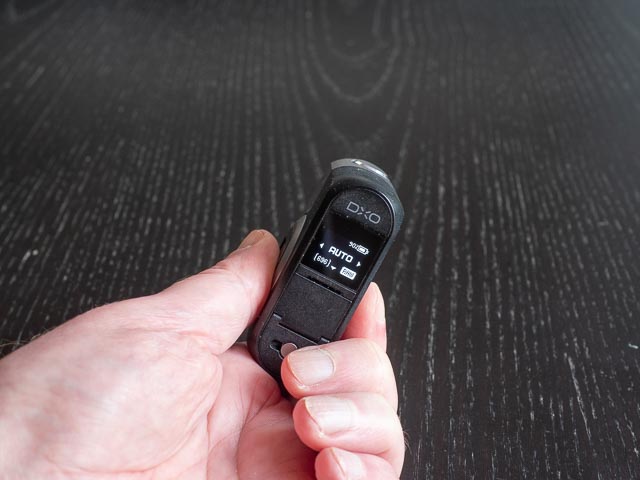 The status screen is touch sensitive so it does allow a limited amount of control over what the camera is doing. You can swipe in any direction to move from live-view mode to status display mode. And while in status display mode you can swipe left and right to move between full auto mode, video mode, and whatever the mode it was in the last time your DxO one was attached to an iPhone. What I do is attached my DxO One to the iPhone and set it to aperture priority mode with the aperture set to f/1.8. This makes it easy in stand-alone mode to switch between full auto mode and what you might call "shallow depth-of-field" mode. Of course you don't have any way to set the focus point in stand-alone mode, like you do when using an iPhone, so you're still leaving an awful lot up to the camera. But it's surprising how often the camera does a good job of focusing on the right thing.
The interesting thing about stand-alone mode is how it gives you a shooting experience oddly similar to using a film camera. The low-res dot-matrix display gives you only a very rough idea of how the photo will eventually turn out, and with no way to review photos while shooting, you have to wait until you get home and download you photos to a computer to see how things turned out, not unlike having to wait until you get your film photos back from the shop. (Though you can cheat and use an iPhone to see what your photos look like.)
But note I said this was a film-like shooting experience, not that the results are film like! (I've always found the very idea of expecting any digital camera to give "film-like" results a bit daft anyway.) Which of course brings us to…
DxO One results
My first impression of the photos produced by the DxO One is that there were perhaps a little to… err… smooth, I think is the word. To my mind makes that look good at first sight, but is perhaps a little too "digital" in nature. But despite this very minor complaint, it genuinely amazes me that such a tiny camera can produce images this good! While I wouldn't go quite so far as to describe the results as "DSLR quality", having a camera this tiny in your pocket, that can so casually and easily produce images that have that narrow depth-of-field look typical of a DSLR (at least when you're reasonably close to your subject) really is amazing. I never had any need to venture above 400 ISO, but there's no doubt that at that ISO setting the results are impressively clean and noise free.
One of the things that contributes to the classic DSLR look is the 3:2 aspect ration which is more common on DSLRs than digicams. Personally I find 3:2 a bit too wide and would have preferred 4:3. But again this is a very minor complaint (and very personal too, many people much prefer 3:2!).
I've reproduced the header image here because I really do love the way this tiny camera has given this casual snapshot a real DSLR-like shallow depth-of-field look. And it's real, natural, shallow depth-of-field too, not the fake shallow depth-of-field a modern smartphone will give you. When you have a simple portrait situation with just an out-of-focus background plenty of distance between the background and the subject and no connection between the two, a smartphone can generate superb looking fake shallow depth-of-field effects. But when you have a more complex sitation with out-of-focus elements at a variety of distances both in front of and behind the subject, smartphone shallow depth-of-field effect always leave me feeling a bit queazy!
All these images, including the monochrome ones, were lightly processed to taste in Adobe Lightroom.

/1.8 - 1/2500 - ISO 400

f/3.2 - 1/500 - ISO 100

f/2.0 - 1/100 - ISO 125

f/2.0 - 1/100 - ISO 200

f/2.0 - 1/100 - ISO 160

f/2.5 - 1/125 - ISO 100
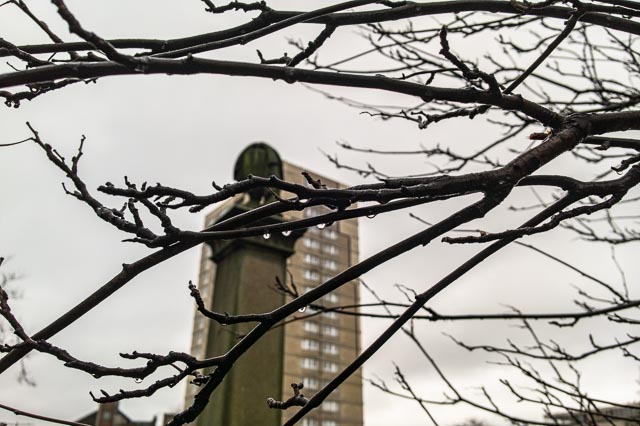
f/2.8 - 1/400 - ISO 100

f/2.0 - 1/100 - ISO 400

f/2.8 - 1/400 - ISO 100

f/2.0 - 1/125 - ISO 100

f/1.8 - 1/8000 - ISO 400
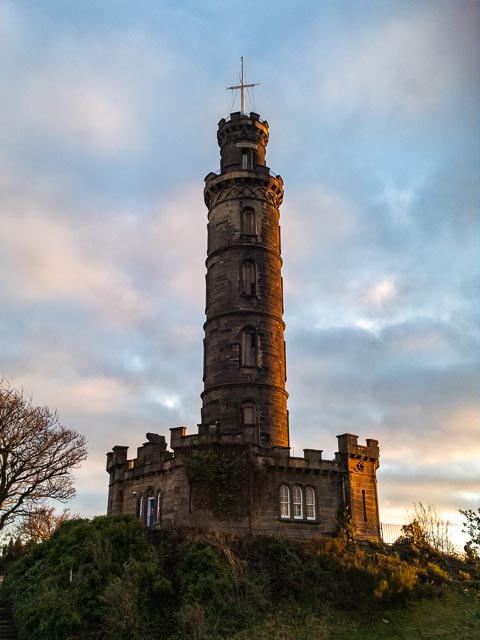
f/1.8 - 1/3200 - ISO 400
It is quite easy to get you finger in front of the lens. That's what the dark smudge in the top right hand corner of this image is.

f/1.8 - 1/10,000 - ISO 400
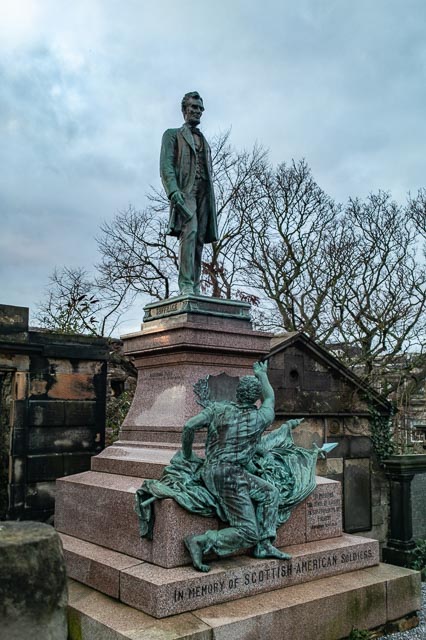
f/1.8 - 1/125 - ISO 125
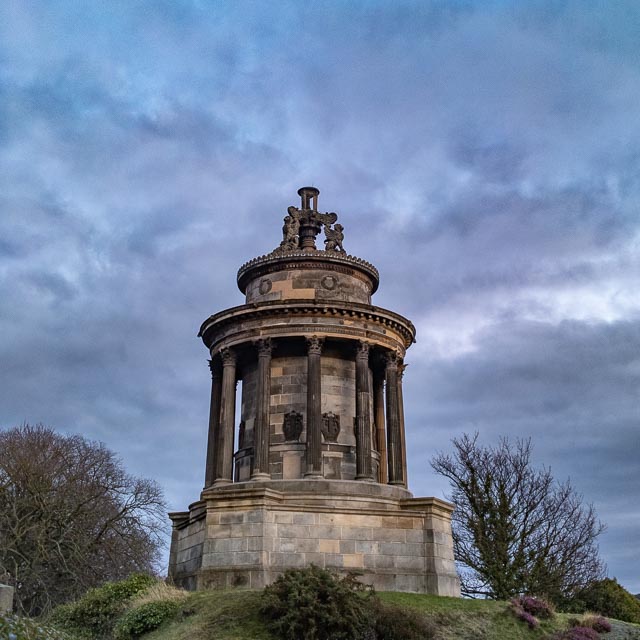
f/1.8 - 1/250 - ISO 400

f/1.8 - 1/5000 - ISO 400

f/1.8 - 1/320 - ISO 400

f/1.8 - 1/100 - ISO 400

f/5.6 - 1/640 - ISO 100

f/4.0 - 1/500 - ISO 100

f/1.8 - 1/10000 - ISO 400

f/5.6 - 1/3200 - ISO 100
The DxO One does give slightly strange4 pointed sun stars, together with plenty of flare, but I quite like the effect!
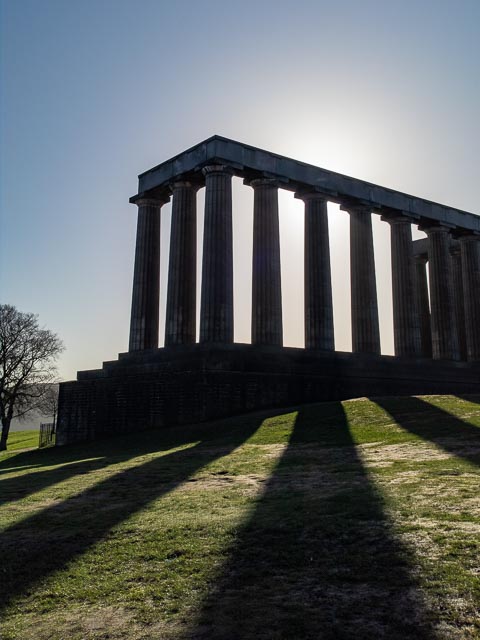
f/5.6 - 1/2000 - ISO 100
Conclusion
A teeny-tiny camera with a nice metal body that gives beautiful results with natural shallow depth-of-field effects, and all for £60-70?! It really is perfect for off-the-cuff snap-shots with quality far beyond what "off-the-cuff snap-shot" implies.
If you have a suitable Lightning equipped device, do yourself a favour and set up an alert for one on eBay or CeX right now this minute. In fact do it even if you don't! It may take a few months for one to pop-up, but it's well worth the wait.